 Soban
Soban
nmap scaning ciphers and ssl
Nmap – scanning SSL/TLS ciphers on Debian 11
In this example we are working on Debian 11 (Bullseye). First, let’s confirm the system version:
|
1 2 |
# cat /etc/issue Debian GNU/Linux 11 \n \l |
Nmap is one of the most powerful network scanning tools available on Linux. It allows you to scan open ports, detect running services, identify software versions and analyze supported SSL/TLS protocols and cipher suites.
Installation on Debian 11 is simple:
|
1 |
# apt install nmap |
After installation, we can test a remote HTTPS server. For example:
|
1 |
# nmap -sV --script ssl-enum-ciphers -p 443 google.com |
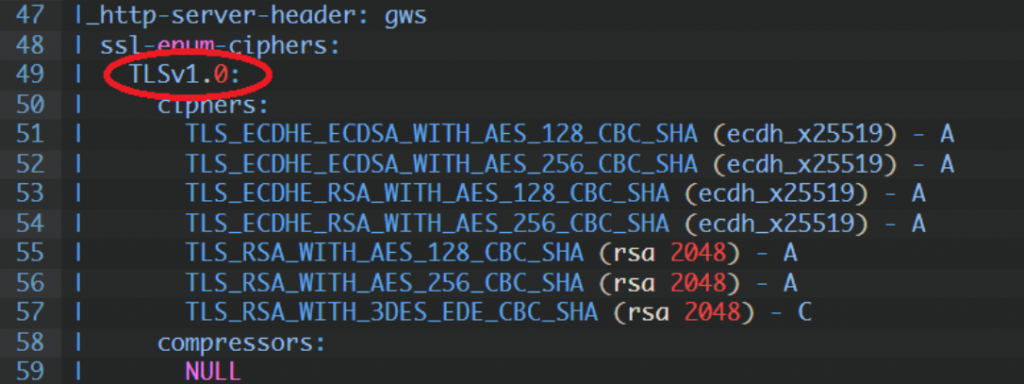
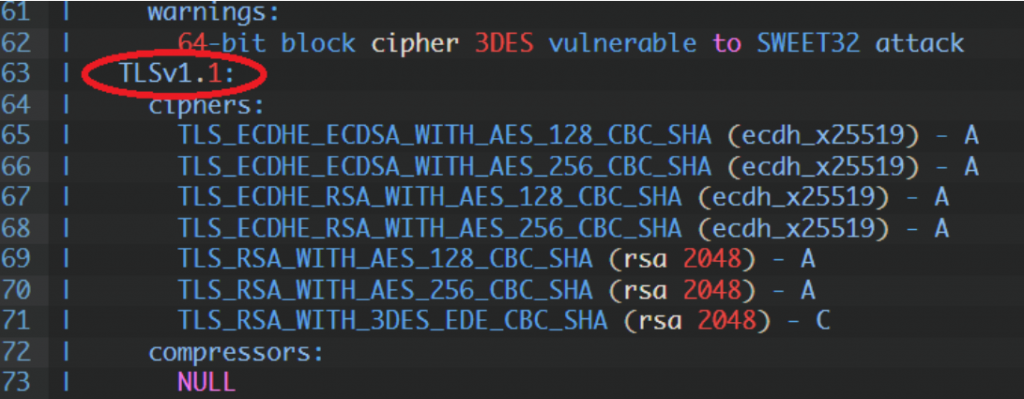
The -sV option enables service version detection and --script ssl-enum-ciphers checks supported TLS versions and encryption ciphers. This allows you to verify which TLS versions are enabled (TLS 1.0, 1.1, 1.2, 1.3), whether weak ciphers like 3DES are supported and if potential cryptographic vulnerabilities exist.
Nmap is slower than tools like sslscan, but the level of detail is very good and useful especially for internal infrastructure testing.
TLS 1.0:
TLS 1.1:
TLS 1.2:
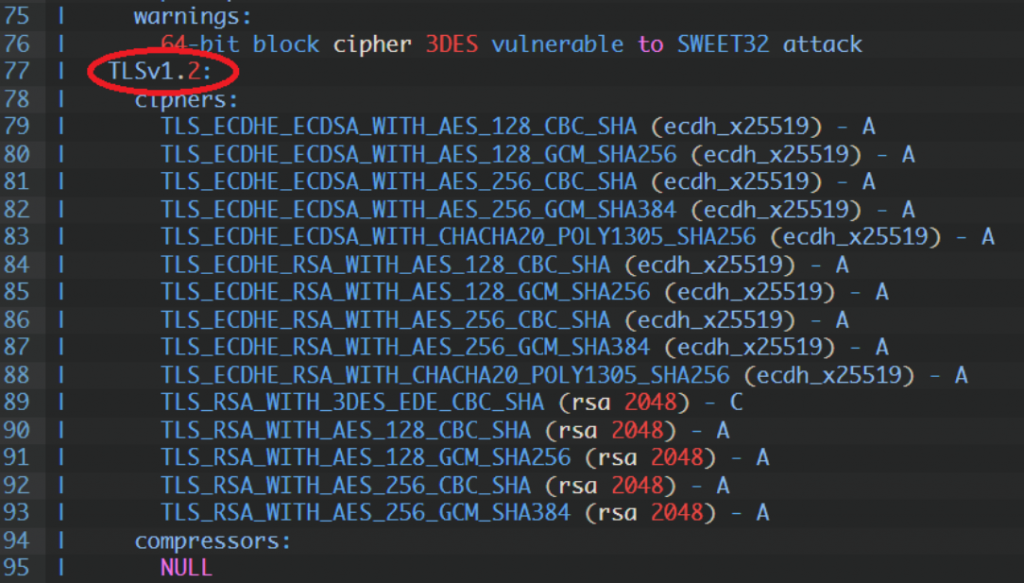
The most important thing when analyzing SSL/TLS configuration is checking for weak or vulnerable ciphers. For example, if you see: “64-bit block cipher 3DES vulnerable to SWEET32 attack”, it means the server still supports 3DES, which is vulnerable to the SWEET32 attack. In production environments such ciphers should be disabled.
If you are testing a public website, you can also use https://www.ssllabs.com/ssltest/. However, for internal servers, staging environments or private infrastructure, using Nmap directly from your Debian system is often the best solution. Regular SSL/TLS scanning helps keep your infrastructure secure and ensures that outdated protocols and weak encryption methods are eliminated.